Message Templates
Message templates are reusable messages you can pull into an incident or a scenario instead of writing the text each time. A template can include placeholders that are automatically filled with the incident's details when the message is sent.
Templates live under Settings, which has separate General Templates and WhatsApp Templates tabs (alongside Channels and Sender Identities). This page covers General Templates.
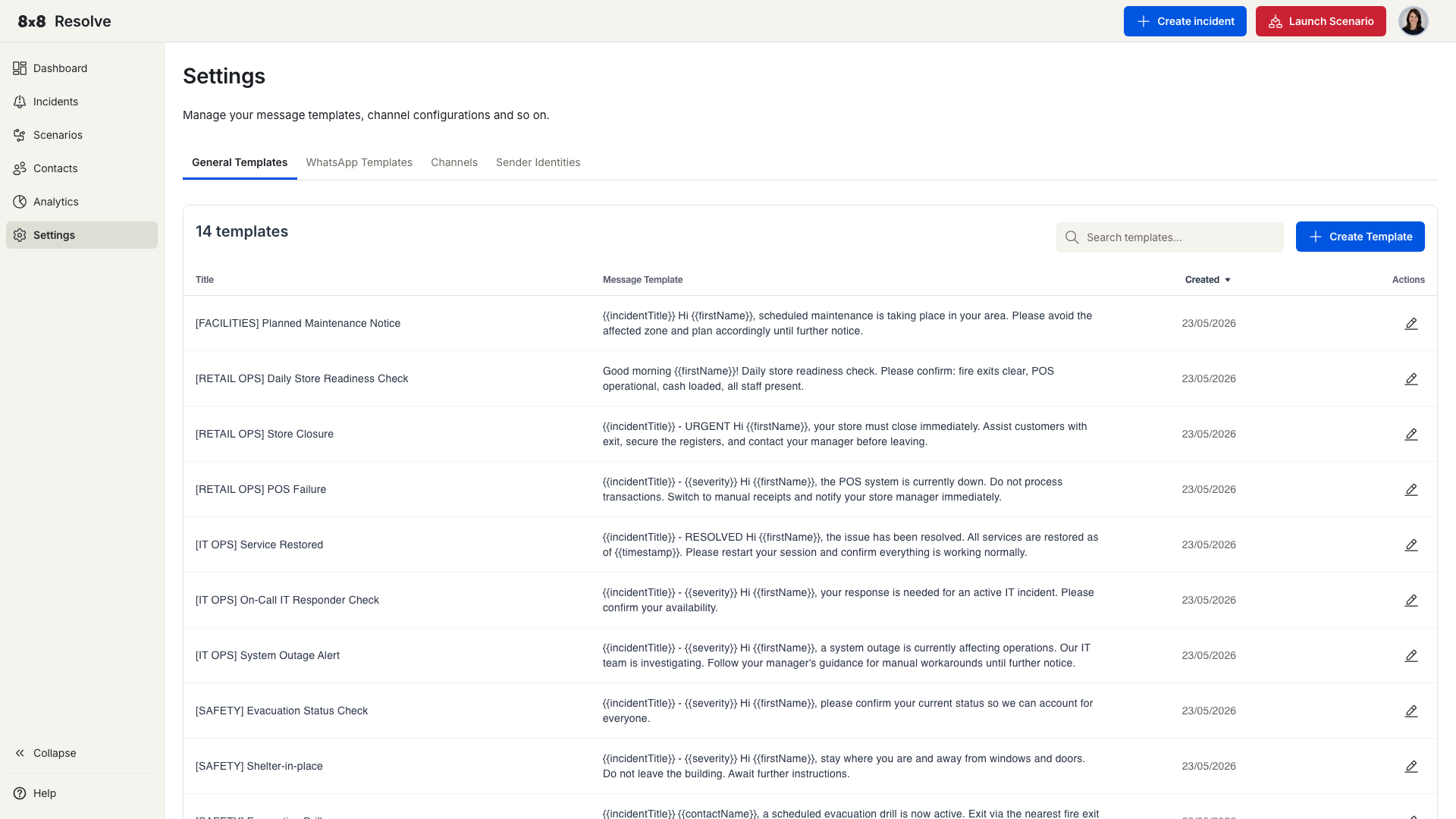
Templates list
The General Templates tab lists your existing templates:
| Column | Description |
|---|---|
| Title | The template name. |
| Message Template | A preview of the message body. |
| Created | When the template was created. |
| Actions | Edit or delete the template. |
Create a template
Go to Settings → Templates and click Create Template. The Create Template dialog has two required fields:
| Field | Description |
|---|---|
| Title | The name of the template. Must be unique. |
| Message Template | The message body. Type your text and insert any of the placeholders below. |
The available placeholders are listed below the message box. Click Create to save — the template then appears in your Templates list and is available when creating incidents and scenarios.
Placeholders
Placeholders are replaced with live values when the message is sent:
| Placeholder | Replaced with |
|---|---|
{{incidentTitle}} | The incident's title. |
{{location}} | The location associated with the incident. |
{{severity}} | The incident severity (Critical, Medium, or Low). |
{{scenario}} | The scenario that triggered the incident. |
{{timestamp}} | The time the message is sent. |
{{contactName}} | The recipient's full name. |
{{firstName}} | The recipient's first name. |
{{lastName}} | The recipient's last name. |
Validation
- Title and Message Template are both required — leaving either empty shows an inline validation message.
- Template names must be unique; a duplicate title prompts you to choose another.
- If a server or network error occurs while saving, a general error notification appears.
Once saved, a template persists under Settings → Templates and can be reused whenever you create an incident or scenario.