Reports & Statistics
Converse provides four downloadable historical reports and a real-time statistics dashboard.
Statistics Dashboard
The Statistics page shows a visual overview of conversation activity for any selected date range.
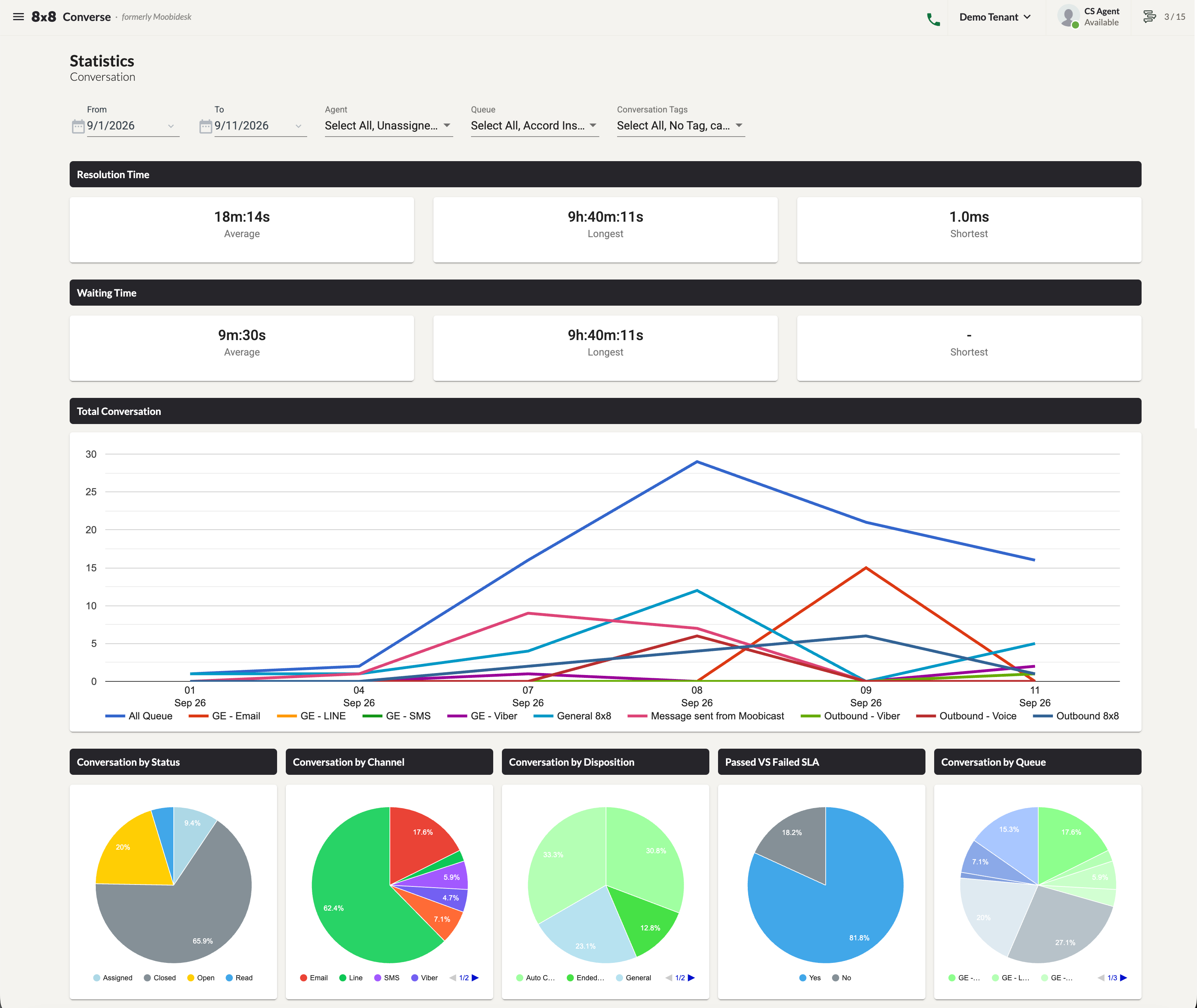
Available filters: Date Range, Agent, Queue, Conversation Tag.
Metrics Displayed
- Time metrics — Resolution Time and Waiting Time, each showing Average, Longest, and Shortest values.
- Conversation Trends — Total conversation volume over time in a trend chart, comparable across queues.
- Conversation Breakdowns — By Status, Channel, Disposition, Queue, and SLA Result (Passed vs Failed).
Downloadable Reports
Navigate to the Reports page. Four report types are available under separate tabs.
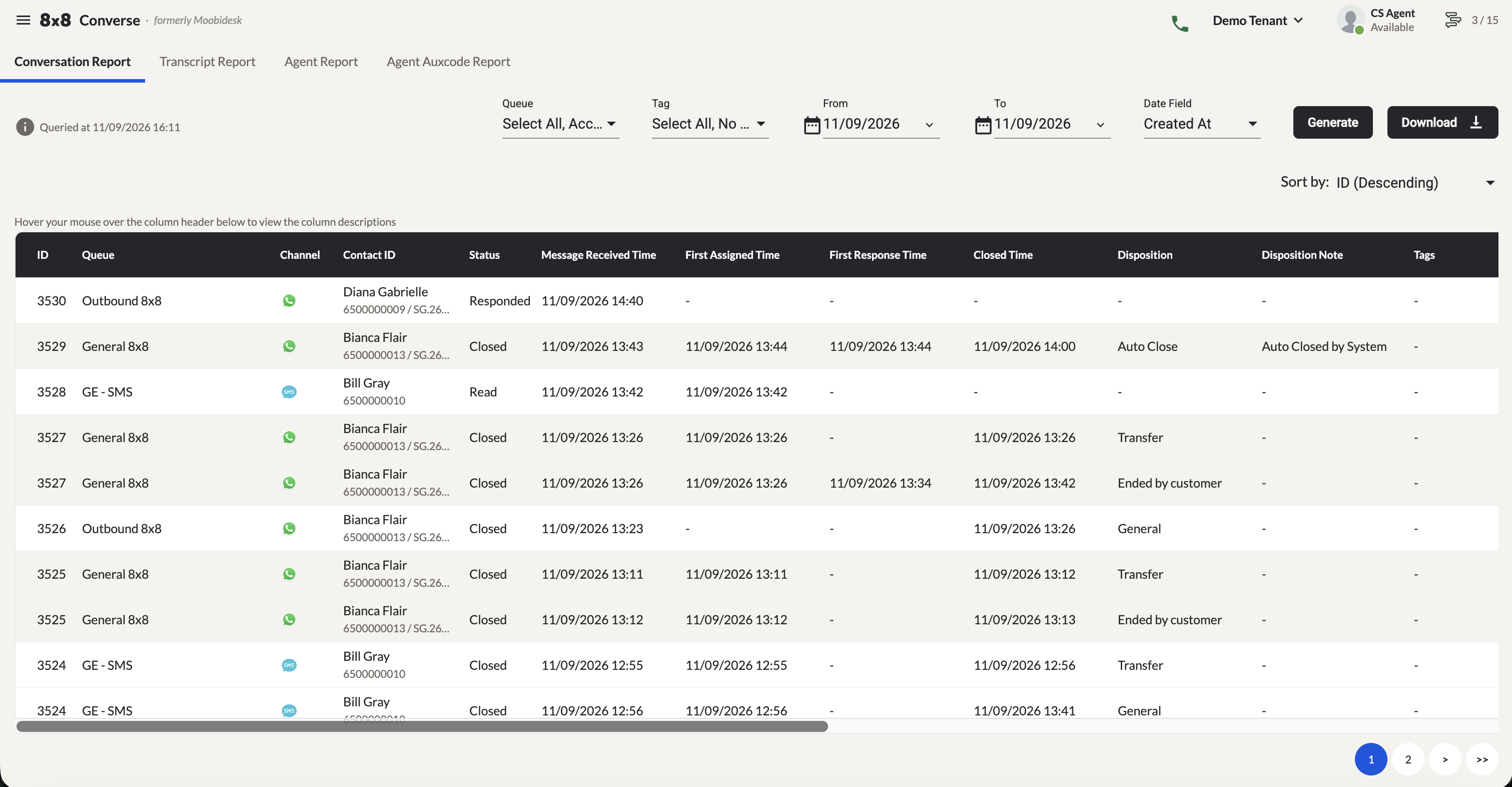
Conversation Report
Filter by: queue and date range. Tracks:
- Communication Channel · Message Received time
- First Assigned and First Responded timestamps
- Closed time · Disposition · Handling Agent name
- Total Wait time · SLA compliance result (Met / Missed)
Transcript Report
Filter by: case ID and date range. Captures all incoming and outgoing messages exchanged between agents and customers.
Agent Report
Filter by: queue and date range. Tracks per agent:
- Total conversations assigned · Total conversations closed
- Occupancy rate · Average handling time
Agent Auxcode Report
Filter by: agent name, auxcode, and date range. Tracks each agent's away status activity.
Exporting Report Data
- Navigate to the desired report tab.
- Apply the required filters.
- Select records using the checkboxes.
- Click Download Report to save to your local directory, or Download to Email to receive a download link by email.
- Download progress is shown in the bottom-right corner.
- Files download as a ZIP archive containing summary and detail files where applicable.