Voice SDK Overview
The 8x8 Voice SDK helps you build engaging and dependable voice calling experiences into your mobile app by enabling the ability to make and receive calls. The Voice SDK provides management of anonymous calls as well as private calls. The 8x8 Voice SDK is available for Android and iOS mobile platforms.
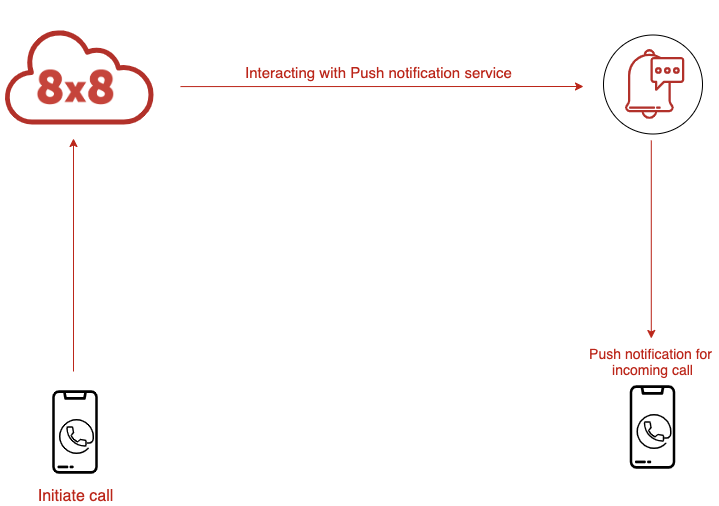
The Voice SDK uses the 8x8 Voice Service, a cloud telephony switch which enables your app to receive incoming and set up outgoing phone calls and then bridge them both.
The incoming call comes from a mobile application (over data). The outgoing call can be placed to another mobile application (over data) or to a phone number (via PSTN network). The 8x8 Voice Service mediates the call bridging, always keeping both parties connected via the same session. This design also enables adding additional features to this session such as call recording, analytics and AI.

The Voice SDK can be used for customer service and support calls that are carried out in-app. Ridesharing and delivery platforms can create apps that facilitate calls between users and drivers while maintaining their privacy and anonymity. Gaming apps can create a user experience where players on a team communicate with each other while maintaining their privacy and anonymity.
Getting Started
Prerequisites
Before integrating the Voice SDK, ensure you have:
- 8x8 CPaaS account with Voice SDK access enabled
- Mobile development environment (Android Studio or Xcode)
- Push notification certificates (APNs for iOS, FCM for Android)
- API credentials for authentication
Account Setup
To use the Voice SDK, you'll need to configure your account through the 8x8 Connect portal:
- Account ID – Your unique identifier for API requests
- Authentication – JWT token configuration for secure access
- Push Notifications – Register your mobile app certificates (APNs for iOS, FCM for Android)
- Webhooks (optional) – Configure endpoints for call events and status updates
For account setup assistance, contact support@cpaas.8x8.com.
Next Steps
Choose your platform to get started:
Support Channels
- Technical support: support@cpaas.8x8.com
- Sales inquiries: Contact your account manager or visit cpaas.8x8.com/en/contact-us
- Support Portal: https://support.cpaas.8x8.com/hc/en-us